Where the app file comes from
There is no store listing to search for. To download Mega888 you either open the download page the platform publishes itself, or you use the install link given to you by the agent or the online casino that issued your account. Those are the two sensible sources, and this guide does not host or link any installer.
Everything sits in one file. Slots, fishing games, arcade titles and table games are all inside the same build, so there is no separate download per game.
Before you install
Compare the build number and the file size with the table below. A different package name means a different app, not a newer version of this one.
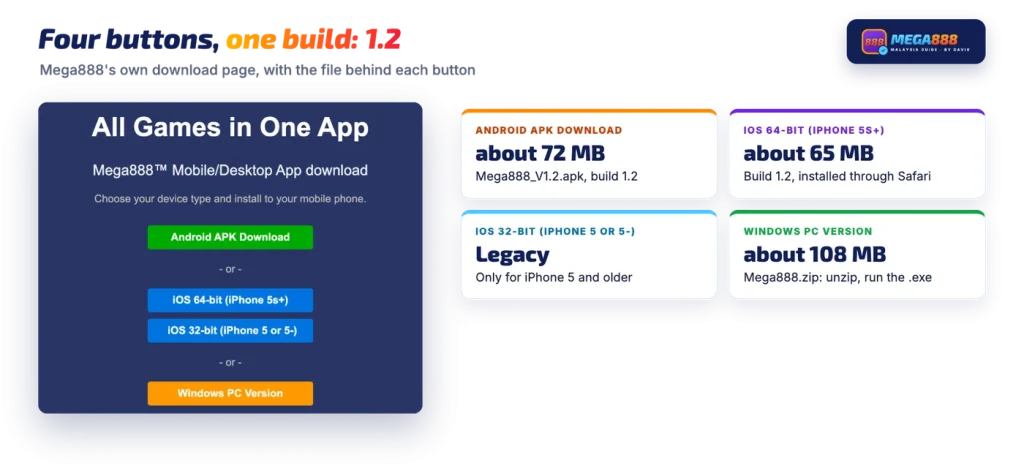
The four download buttons and which file fits your device
Mega888’s own download page offers four buttons. Three of them cover phones and tablets, and one covers Windows.
| Device | Button | File | Size | Build |
|---|---|---|---|---|
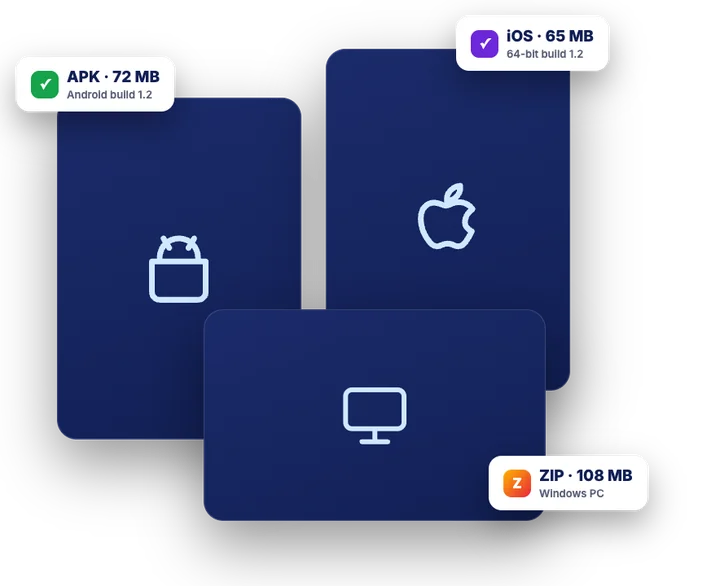
| Android phone or tablet | Android APK Download | Mega888_V1.2.apk | about 72 MB | 1.2 |
| iPhone 5s or newer, iPad | iOS 64-bit (iPhone 5s+) | Mega888_0_V1.2.ipa | about 65 MB | 1.2 |
| iPhone 5 or older | iOS 32-bit (iPhone 5 or 5-) | legacy iOS build | not shown | not shown |
| Windows PC | Windows PC Version | Mega888.zip | about 108 MB | not shown |
Pick by device first, then check the size. If you are not sure which device route applies, the phone picker on the guide home narrows it down in one tap. An Android file that arrives at 12 MB or 200 MB is not this build, whatever the name on it says.
| Detail | Mega888 build |
|---|---|
| Android build | 1.2 |
| iOS build (64-bit) | 1.2 |
| Android file size | about 72 MB (75,501,225 bytes) |
| iOS file size | about 65 MB (67,782,655 bytes) |
| Windows file size | about 108 MB (113,769,552 bytes) |
| Android package name | com.mega888.Release |
64-bit or 32-bit on iPhone
The split is about hardware age, not about iOS. Every iPhone from the 5s onwards has a 64-bit processor, so an iPhone 6, X, 12, 14 or 15 takes the iOS 64-bit (iPhone 5s+) file. The iOS 32-bit (iPhone 5 or 5-) button exists for an iPhone 5, 4s or similar, and nothing newer needs it. An iPad follows the same rule: any iPad that runs a current iOS is 64-bit.
As a rule, 32-bit apps do not run on iOS 11 and later, so on a modern iPhone the 32-bit button will not give you a working app. Go back and use the 64-bit one.
The Windows file
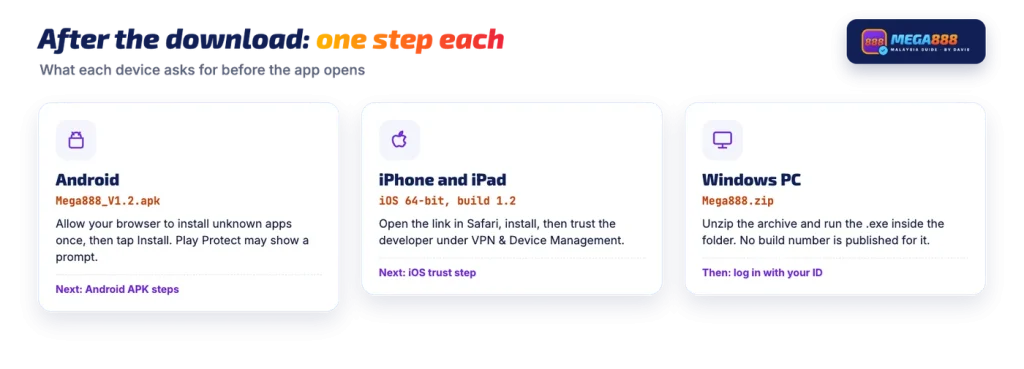
The PC download is a compressed archive rather than an installer you double-click straight away. Save Mega888.zip, unzip it, then run the .exe file inside the unzipped folder. No build number is published for that file, so the Android and iOS version 1.2 figures do not tell you anything about the Windows copy.
After the download: one step on Android, one on iPhone
On Android, the browser or file manager will ask for permission before it can install a file that did not come from the Play Store. You grant install-from-this-source permission to the app you downloaded with, tap the APK again, and let it install; Play Protect may also show a scan prompt because the file is sideloaded. The targeting rule that stops Android 14 installing very old apps does not block this one, since the current file targets API 29. The full sequence, including the Huawei situation and the Play Protect wording, is on the Android install steps.
On iPhone and iPad, the install runs through Apple’s enterprise route, which means Safari opens the install link and the icon appears on the home screen. As a rule, the first launch is then refused with an untrusted developer message until you approve the developer under Settings > General > VPN & Device Management, or Profiles & Device Management on older iOS. That approval, and what to do when the install fails before the icon ever appears, is covered in trusting the profile on iPhone.
Mega888 states that installing takes no more than three minutes.
If a separate installer is more trouble than you want, some Malaysian online casinos run these games inside their own lobby instead, with the balance held in the casino wallet.
Is the link you were given the same file?
A Mega888 download link sent in a chat or picked up from a search result often points at somebody’s reposted copy rather than the build described above. That is common, and a reposted file is not automatically modified, but you have no way of knowing from the name alone. Compare three things before you install: the package name com.mega888.Release, the build number, and the file size against the table. The signing certificate fingerprint is the stronger test, because a rebuilt or repackaged copy cannot carry the same signature. Those checks, with the fingerprint and file hash written out, are set out in check the original file.
A size that is close but not equal deserves a second look too, since a different build can be a different weight.
You still need an account to play
The app has no sign-up form, and neither does the download page. A user ID and password come from an agent or from a casino that offers these games in its lobby, and logging in with your ID happens inside the app. So the download is only half the job: without an issued account, the installed app opens to a login screen you cannot get past. Password resets, locked IDs and balance questions all go back to whoever issued the account.
Keep the password to yourself. Nobody who contacts you first needs it to help with an account.
FAQ
Is the app on Google Play?
No. It is not distributed through Google Play or the Apple App Store, so there is nothing to search for in either store. Android users install an APK file, and iPhone users install through Apple’s enterprise-install route opened in Safari.
Which file do I need for an iPhone 15?
The 64-bit build, listed as iOS 64-bit (iPhone 5s+). Every iPhone from the 5s onwards runs 64-bit, so the 32-bit button is only there for an iPhone 5 or older. The 64-bit file is about 65 MB and carries build 1.2.
Cara download Mega888, macam mana?
Cara download (how to download) is the same for everyone: open the download page the platform publishes, or use the install link given to you by the agent or casino that issued your account, then pick the button that matches your device. Android gets an APK of about 72 MB, iPhones get the 64-bit or 32-bit iOS build, and Windows gets a ZIP of about 108 MB.
Is there a PC version?
Yes. The Windows PC Version button serves a ZIP file of about 108 MB. You unzip it on the computer and run the .exe inside it. No build number is shown for that file.
Why is the link I was given different from the table here?
Agents and casinos often host their own copy of the installer, and many search results are reposts. A different source is not automatically a different app, so compare the package name com.mega888.Release, the build number and the file size before you install. If any of those do not match, treat the file as a different app.