The current Mega888 Android file
Everything in the app sits in that one package: the slot games, the fishing and arcade titles and the table games. There is no separate installer per game and no Play Store listing, because the app is distributed as an APK rather than through Google Play.
The file details to note before you start:
- File name: Mega888_V1.2.apk
- Size: 75,501,225 bytes, shown by most phones as about 72 MB
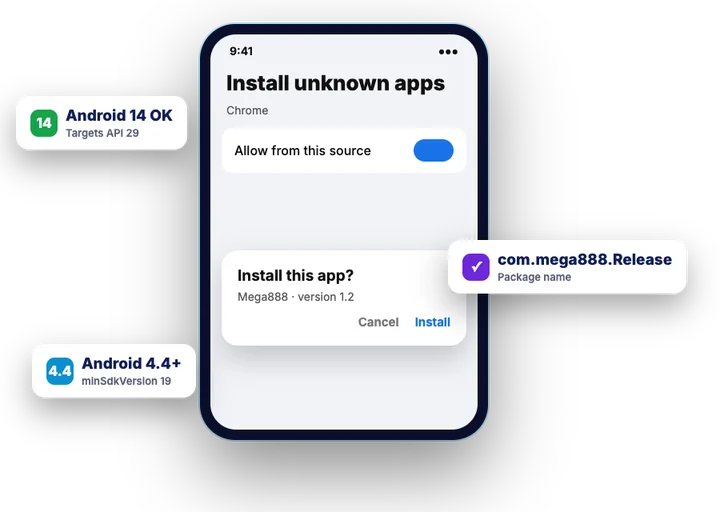
- Version: 1.2 (the latest version published on Mega888’s own download page)
- Package name: com.mega888.Release
- Minimum Android: API level 19, which is Android 4.4
Those values are the ones that matter later. Size tells you whether the download finished, version and package name tell you what you are holding, and the package name decides whether a new install updates the old app or collides with it. If you are not yet sure which build your device needs, the device and build overview sorts Android, iPhone and Windows first.
One more thing before the steps: the account does not come with the file. You download the APK from Mega888’s own download page, but the user ID and password come from the agent or the casino that issued your account.
Installing the APK on your phone
The install runs entirely in the browser and the system installer, so it takes a few taps rather than a setup wizard. Mega888 says the whole process takes no more than three minutes.
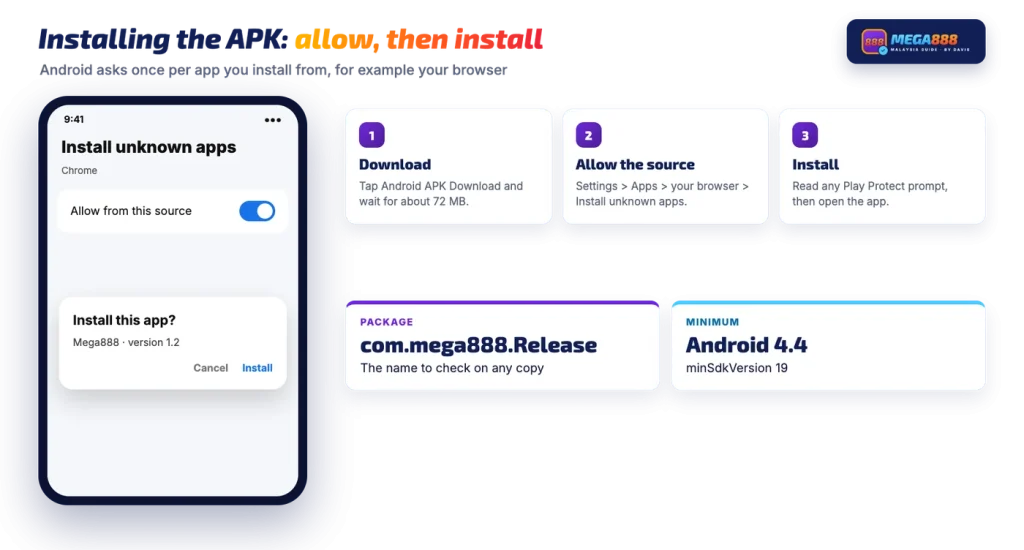
- Download the APK. Open Mega888’s own download page in your phone’s browser and tap Android APK Download. Let the download run to the end before touching anything.
- Open it from Downloads. Tap the finished file in the browser’s download list, or find it in your Files app under Downloads.
- Allow unknown apps for that browser. The first time, Android says the browser is not allowed to install unknown apps and offers a settings shortcut. The switch itself lives at Settings > Apps > your browser > Install unknown apps, so you can turn it on there and come back.
- Tap Install. The system installer shows the app name and asks for confirmation. On a phone that already carries an older copy, read this screen carefully, because an update and a fresh install look similar.
- Read any Play Protect prompt. Google’s scan may warn that the developer is unknown or offer to send the app for checking. Decide on that screen rather than dismissing it blindly.
- Open the app and log in. Enter the ID and password issued to you. Passwords are case sensitive, so type them rather than guessing capitals.
The permission in step three is per app, not global. Granting it to Chrome does not grant it to your Files app or to a chat app, which is why a file forwarded to you through a messenger can be blocked even after a browser install has worked.
What a Play Protect warning means
Play Protect is Google’s built-in scan for apps installed on Android devices. In general it flags apps that did not come from Google Play and whose developer it cannot identify, and it may offer to upload the app for a closer look. The wording differs between Android versions, but the message is the same: this app is outside the Play Store, so Google is not making any statement about it.
That warning is about the distribution route, not about the specific file in your Downloads folder. It will appear for the original build and for a repackaged copy alike.
So the prompt is not the test you need. The useful test is identity: whether the app on your phone carries the package name com.mega888.Release and the same signing key as the original build. Anyone who repackages an APK has to sign it with their own key, which is why you can check the signing certificate and get a clearer answer than any scanner prompt will give you.
Do not switch Play Protect off as a general habit. It keeps scanning everything else on the phone, and turning it off to silence one prompt leaves the rest unchecked.
Android versions, Android 14 and phones without Google services
Android 14 and newer
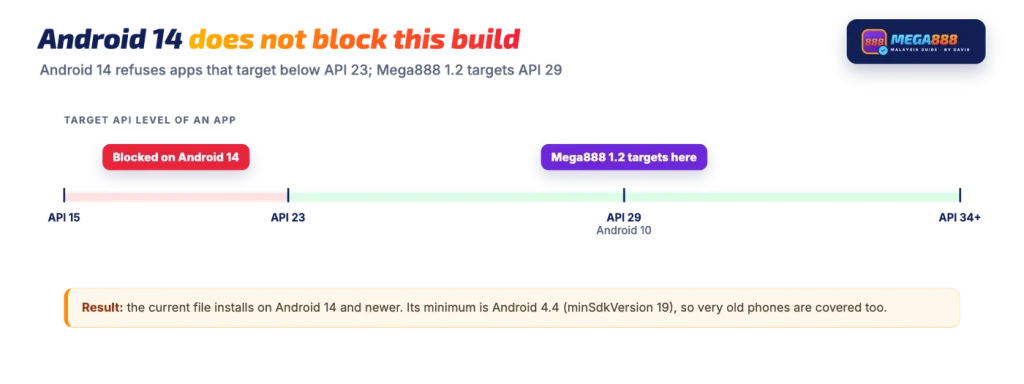
Android 14 introduced a block on installing apps that target very old API levels, specifically anything below API level 23. The Mega888 Android build targets API level 29, so that rule does not apply to it and the install proceeds normally on Android 14 handsets. What newer Android releases do add is firmer wording in the prompts, plus the per-app unknown-sources permission described above.
At the other end, the build declares a minimum of API 19. A phone still running Android 4.4 can install it; anything older cannot.
Huawei and other phones without Google services
An APK does not need the Play Store to install, so the same file works on Huawei handsets and on any other device shipped without Google Mobile Services. You simply will not see a Play Protect prompt on those phones, because Play Protect is part of Google’s services.
That does not mean no warning at all. As a rule, manufacturers ship their own security scan and app-install checks, so expect a similarly worded alert from the phone’s own security tool and the same per-app permission for whichever browser or file manager you install from.
Keeping the APK current
Installing a newer APK over the existing app is how an update works here, since there is no Play Store entry to push one. In general Android keeps your existing app data through that kind of install only when the new file carries the same package name and the same signing key as the installed one. When either differs, the system treats it as a different app and refuses to overwrite.
Old builds also tend to drift out of step with the servers they talk to, which is often why an app that used to work suddenly will not log in or load games. The practical side of updating to a newer build, and where old v1.0 and v1.2 files fit in, has its own walkthrough.
When the install fails
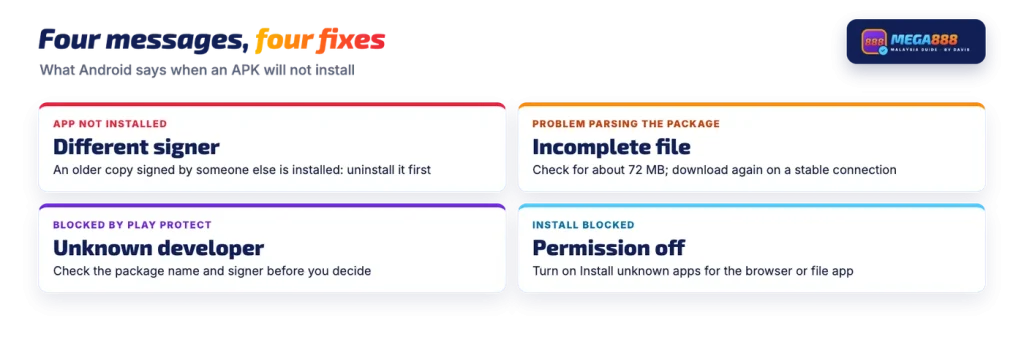
Most failed installs end with one of four messages, and each points at something specific.
| Message | Likely cause | What to do |
|---|---|---|
| App not installed | An older copy with the same package name is installed but signed with a different key | Uninstall the existing app, then install the downloaded file again |
| There was a problem parsing the package | The download did not finish, or the file is damaged | Check the file size, delete it and download again on a stable connection |
| Blocked by Play Protect | Google cannot identify the developer of an app from outside Play | Read the prompt and verify the package name and signer before deciding |
| Install blocked | The unknown-apps permission is off for the app you are installing from | Turn on Install unknown apps for that browser or file manager, then retry |
If it fails
Compare the downloaded file size with about 72 MB before you change any setting. A file that is much smaller never finished downloading, and no permission change will make it install.
If sideloading itself is the obstacle, whether because the phone is locked down or the prompts keep refusing, there is another route to the same games.
Some Malaysian online casinos carry these games inside their own lobby, so the balance sits in the casino wallet and nothing is installed on the phone.
Everything above is written for adults of 21 and over, and gambling carries risk.
FAQ
Is the Mega888 APK safe to install?
We cannot vouch for any file anyone downloads, because copies of this app circulate widely. What you can do is check the one on your phone: the original Android build is version 1.2, about 72 MB, and its package name is com.mega888.Release. The stronger check is the signing certificate fingerprint, because a repackaged copy has to be signed with a different key.
Does the app work on Android 14?
Android 14 and newer refuse to install apps that target an API level below 23. The current build targets API 29, so that rule does not block it. Newer Android releases can still show stricter prompts before a sideloaded install goes ahead.
How big is the Mega888 APK?
Mega888_V1.2.apk is 75,501,225 bytes, which phones and browsers display as about 72 MB. A downloaded file that is far smaller than that did not finish, and it will often fail with a parsing error.
Why does Android say App not installed?
As a rule that message appears when an app with the same package name is already on the phone but was signed with a different key. Android will not overwrite one signer’s app with another’s. Uninstalling the existing copy first, then installing again, normally clears it.
Can I install the APK on a Huawei phone?
Yes, the same APK file installs on Huawei handsets without Google services, since an APK does not need the Play Store to install. You will not see a Play Protect prompt on those phones, but the device’s own security check may raise its own warning instead.
Which Android version is the minimum?
The build declares a minimum of API level 19, which is Android 4.4. Phones older than that cannot install it at all.