Mega888 is not an App Store app
There is no listing to search for, no App Store update badge and no Apple review step between the file and your phone. Instead, iOS supports an older distribution route built for in-house apps, where a link of the itms-services type tells the phone to fetch an install manifest and then the app itself. That is the route the iOS buttons use.
Two things follow from this. First, the install link has to be opened in Safari, because other iOS browsers do not hand that kind of link to the installer. Second, nothing updates itself: a new build means going back to the same source and installing again.
To download Mega888 iOS builds you therefore need a working install link, not an App Store search. That link comes from Mega888’s own download page, or from the agent or casino that issued your account. Android phones take a different file and a different set of permission prompts, which the device overview covers alongside this one.
Which iOS file your iPhone needs
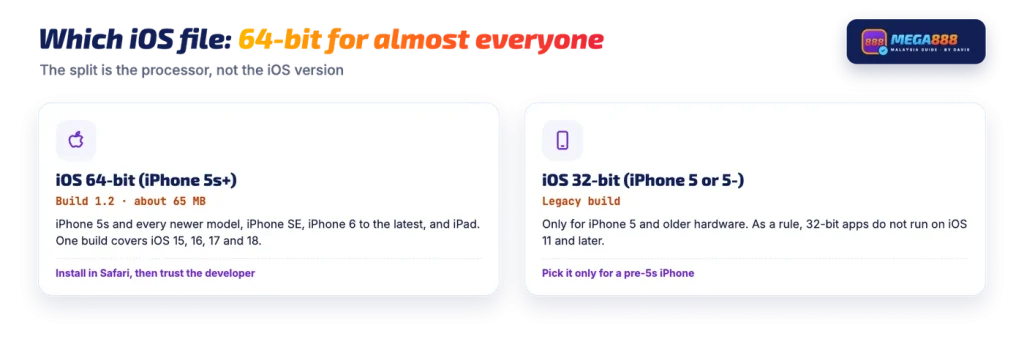
Mega888’s own download page splits iOS into two buttons, and the split is about processor architecture rather than iOS version.
| Button | Devices | Build | Size |
|---|---|---|---|
| iOS 64-bit (iPhone 5s+) | iPhone 5s and every newer iPhone, plus iPad | 1.2 | about 65 MB |
| iOS 32-bit (iPhone 5 or 5-) | iPhone 5 and older hardware only | legacy build | not published |
Almost every reader needs the first one. The iPhone 5s was the first 64-bit iPhone, so anything from that model onward, including the iPhone 6, SE models and all current handsets, takes the 64-bit file. The 32-bit button is a legacy build kept for hardware that cannot run the main one, and it is not the file to pick if you have any doubt.
The 64-bit button serves build 1.2, the same version number as the Android file. If that changes before you reinstall, check the current build number first so you are not chasing a file that is no longer published.
Installing the app and trusting the developer
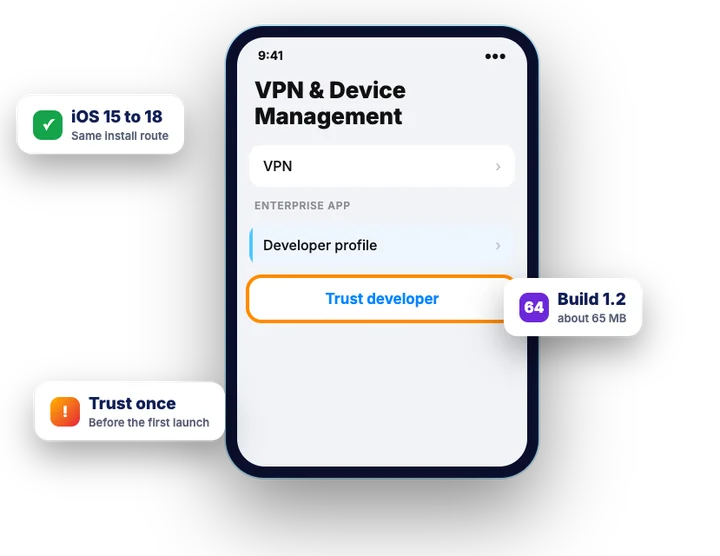
The install itself is short. Mega888’s download page says it takes no more than three minutes, and the step that is easy to miss is the trust step, which iOS puts in Settings rather than in the app.
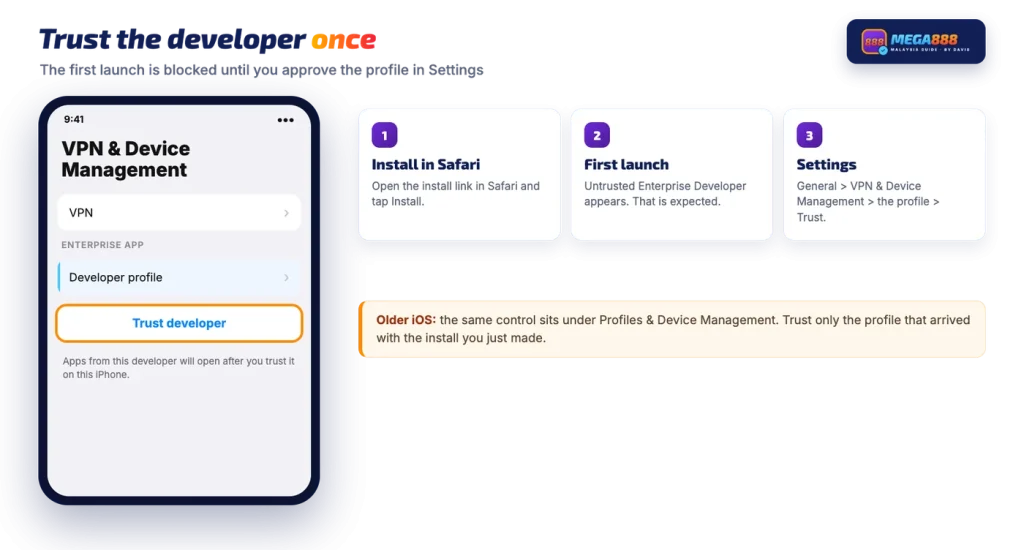
- Open the install link in Safari. Another browser may do nothing at all, so copy the link into Safari if you received it elsewhere.
- Confirm the install. iOS asks whether the site may install an app. Tap Install and leave Safari.
- Wait for the icon. The home screen shows a dimmed icon with a progress ring while the app downloads. It finishes on its own; tapping it repeatedly does not speed it up.
- Expect the first launch to be blocked. Opening the app before the next step produces the Untrusted Enterprise Developer message. That is expected, not a broken file.
- Trust the developer. Go to Settings > General > VPN & Device Management, tap the profile that arrived with this install, then tap Trust and confirm.
- Open the app and log in. The app now launches to its login screen; enter the ID and password issued to you.
Keep in mind
The developer name you approve under VPN & Device Management should be the one the install prompt just showed you. If you see several profiles there, or one you do not recognise, trust nothing you did not just install.
Once the profile is trusted, the app opens normally from the home screen, and signing in with your ID is the last step. You do not repeat the trust step on each launch, but you may need it again after reinstalling.
iOS 15, 16, 17 and 18
The install mechanism does not change between recent iOS releases. What moves, occasionally, is the name of the Settings screen where the trust step lives.
| iOS version | Where the trust step is | Build to use |
|---|---|---|
| iOS 18 | Settings > General > VPN & Device Management | 64-bit |
| iOS 17 | Settings > General > VPN & Device Management | 64-bit |
| iOS 16 | Settings > General > VPN & Device Management | 64-bit |
| iOS 15 | Settings > General > VPN & Device Management | 64-bit |
| Older iOS | Settings > General > Profiles & Device Management | 64-bit, or 32-bit on iPhone 5 and older |
So there is no separate Mega888 iOS 16 download, no special Mega888 iOS 17 file and no distinct Mega888 iOS 18 package: one 64-bit build covers them, and a phone still on iOS 15.1 follows exactly the same steps. What nobody can promise is tested behaviour on each individual release, because that would need checking per version. Treat the table as a map of the route, not a compatibility certificate.
When the iOS install fails
The most common point of failure is before the icon even appears. Safari shows a message saying the app cannot be downloaded, or that the server cannot be reached, and nothing installs.
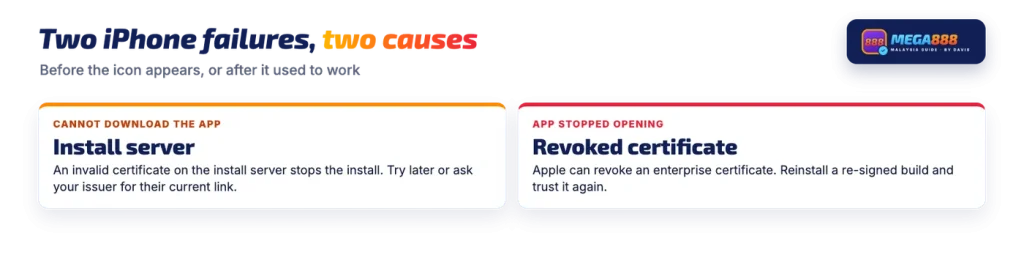
This can come from the install server rather than from your phone. An enterprise install is fetched over HTTPS, and iOS refuses the whole process if the certificate on the server holding the install manifest is invalid or has expired. The phone does not explain which part failed, which is why the message looks so vague.
Two practical responses. Wait and try the same link again later, because a server-side certificate problem is fixed on the server, not on your phone. If it keeps failing, ask the agent or the casino that issued your account for their current install link, since they may be serving the file from somewhere else.
A smaller cause is simpler: a link that was shared as plain text and opened in a non-Safari browser, or a profile install blocked because a configuration profile restriction is in place on the device.
A separate app is not the only way to play. Some Malaysian online casinos run Mega888 games inside their own lobby in the browser, where your balance sits in the casino wallet and there is nothing to sideload.
When an installed app stops opening
An app that used to open and now closes straight away, or refuses to launch at all, can point to a certificate problem rather than a file problem. Apple can revoke the developer certificate behind an enterprise app at any time, and when that happens every copy signed with it stops running until a re-signed build is installed. The icon stays where it is, which makes it look like a crash.
The fix is a fresh install from the same source you used before, followed by the trust step again.
A different symptom points at the build instead. If the app opens but will not log in, or sits on a loading screen, the client may be behind what the server expects. In general, a platform updated server-side can stop serving an older client, and installing the current build clears it.
Using an iPad
An iPad follows the same route as an iPhone. Open the install link in Safari, confirm Install, then trust the developer under Settings > General > VPN & Device Management before the first launch. The 64-bit file is the one to use.
This guide is for adults aged 21 and over. Gambling carries risk, and the rules differ depending on where you live, so check what applies to you.
FAQ
Does Mega888 work on iOS 17?
The install route is the same on iOS 17 as on iOS 16 and iOS 18: the 64-bit build is installed through an install link opened in Safari, then the developer profile is trusted under Settings > General > VPN & Device Management. There is no tested compatibility list for individual iOS releases, so a per-version guarantee is not something anyone can give you.
Why does my iPhone say Untrusted Enterprise Developer?
That message is normal iOS behaviour for an app installed outside the App Store. The icon is on your home screen, but iOS will not run the code until you approve the developer. Go to Settings > General > VPN & Device Management, tap the profile that appeared with the install, and tap Trust. On older iOS releases the same screen is called Profiles & Device Management.
Which file do I need for an iPhone 6?
The 64-bit file. The iOS 64-bit (iPhone 5s+) button covers every iPhone from the 5s onward, which includes the iPhone 6 and 6 Plus. The iOS 32-bit (iPhone 5 or 5-) build exists only for the iPhone 5 and older hardware.
Why did the app stop opening on my iPhone?
Apps distributed through Apple’s enterprise route depend on a developer certificate, and Apple can revoke one. In general, when that happens the icon stays on the home screen but the app closes or refuses to launch. A re-signed build has to be installed again from the same source you used before. A build that is simply out of date can also fail at the login or loading stage rather than at launch.
Cara download Mega888 iOS?
Open the install link in Safari rather than another browser, tap Install when iOS asks, and wait for the icon to finish loading on the home screen. On first launch you will see the untrusted developer message, so go to Settings > General > VPN & Device Management, tap the profile and tap Trust. Then open the app and enter the user ID and password issued to you.